
Creating a cozy and functional home workspace is essential for staying productive and comfortable throughout your workday. Whether you have a dedicated room or a small corner, the key is to design a space that promotes focus, reduces distractions, and feels inviting. In this post, we’ll explore practical tips to help you set up the perfect home workspace that balances comfort and efficiency.
Choose the Right Location
Selecting the best spot for your workspace is the first step. Ideally, it should be a quiet area with minimal foot traffic and distractions.
– Natural Light: Position your desk near a window if possible. Natural light boosts mood and reduces eye strain.
– Away from Noise: Avoid noisy areas like kitchens or living rooms with heavy family activity.
– Space Consideration: Make sure there is enough room for your desk, chair, and necessary equipment without feeling cramped.
Invest in Comfortable Furniture
Comfort plays a crucial role in maintaining focus and preventing physical discomfort during long working hours.
– Ergonomic Chair: Choose a chair that supports your back and allows for adjustments. Good lumbar support is vital.
– Appropriate Desk: Your desk should be at a height that allows your elbows to rest comfortably when typing.
– Footrest: If your feet don’t reach the floor naturally, a footrest can improve posture and circulation.
Organize with Purpose
A cluttered workspace can cause stress and impact productivity negatively. Organization helps keep your mind clear.
– Storage Solutions: Use shelves, drawers, or filing cabinets to store documents and supplies neatly.
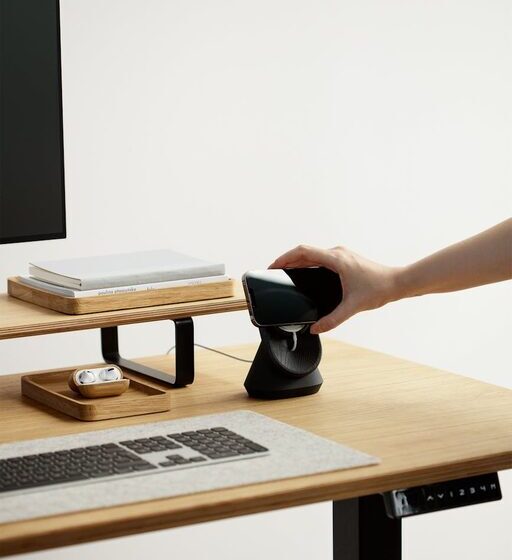
– Desk Accessories: Utilize organizers for pens, paper, and cables to avoid clutter on the desktop.
– Cable Management: Employ clips, ties, or cable boxes to keep cords untangled and out of sight.
Personalize Your Space
Adding personal touches makes your workspace feel welcoming and motivating.
– Plants: Small indoor plants can improve air quality and bring a refreshing vibe.
– Artwork or Photos: Choose pictures or art that inspire or calm you. Avoid distractions by selecting simple, tasteful pieces.
– Colors: Incorporate colors that promote focus and relaxation, such as soft blues or greens.
Optimize Lighting
Lighting affects your productivity and comfort. Balancing natural and artificial lighting is key.
– Task Lighting: Use an adjustable desk lamp to focus light where you need it.
– Avoid Glare: Position screens to avoid glare from windows or overhead lights.
– Warm vs. Cool Light: Warm light creates a cozy atmosphere, while cool light can be more energizing. Combining both can be effective.
Create a Routine-Friendly Environment
Your workspace should support your daily work habits and routines.
– Keep Essentials Accessible: Store frequently used items within arm’s reach to maintain workflow.
– Defined Zones: If your space is shared or multifunctional, designate specific areas for different tasks.
– Break Area: If possible, have a spot nearby where you can take brief breaks without leaving your home.
Minimize Distractions
Staying focused is easier when distractions are managed effectively.
– Noise Reduction: Use noise-canceling headphones or white noise machines to block disruptive sounds.
– Limit Technology Temptations: Keep personal devices like smartphones out of sight or in silent mode during work hours.
– Clear Visual Space: Keep your desktop and background wallpaper simple to avoid visual clutter.
Maintain Cleanliness and Freshness
A clean, fresh environment keeps your mind clear and reduces stress.
– Regular Cleaning: Dust and wipe down surfaces weekly to maintain hygiene.
– Air Quality: Open windows when possible or use an air purifier to ensure fresh air circulation.
– Scent: Lightly scented candles or essential oils can create a calming atmosphere but avoid overpowering fragrances.
Utilize Technology Wisely
Technology is at the heart of most home workspaces. Using it effectively can enhance your work experience.
– Monitor Setup: Use external monitors for better screen space if you work on a laptop.
– Reliable Internet: Ensure your internet connection is fast and stable.
– Charging Stations: Have chargers and power banks organized and easily accessible to avoid downtime.
Final Thoughts
Designing a cozy and functional home workspace is about combining comfort with practicality. By choosing the right location, investing in ergonomic furniture, organizing thoughtfully, and personalizing your space, you create an environment conducive to productivity and well-being. Remember, this space should adapt to your needs and grow with you as your work habits evolve.
With these tips, your home workspace will become not just a place to work, but a space where you feel motivated and comfortable every day. Happy creating!