
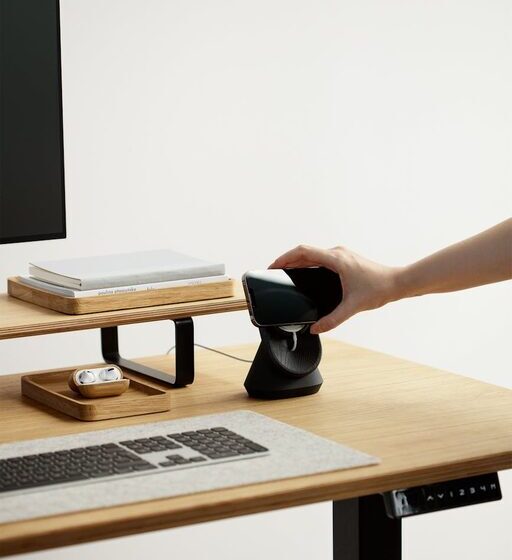

Creating a cozy and functional home workspace is essential for anyone working remotely or spending significant time on personal projects. An ideal workspace combines comfort and practicality, making it easier to focus, stay organized, and feel motivated. Whether you have a dedicated room or a small corner in your living area, these tips will help you design a space that works for you.
Choose the Right Location
Selecting the best spot in your home is the first step in creating a productive workspace.
– Natural Light: Position your desk near a window if possible. Natural light can boost your mood and reduce eye strain.
– Minimize Noise: Pick a quiet area away from household noise, such as the kitchen or living room.
– Accessibility: Make sure your workspace is easy to access and doesn’t disrupt other household activities.
Invest in Comfortable and Supportive Furniture
Comfort is key when you’re spending long hours at your desk.
– Ergonomic Chair: Choose a chair that supports your back and encourages good posture.
– Appropriate Desk: Select a desk with enough surface area for your computer, documents, and any other supplies you need daily.
– Adjustable Options: Consider an adjustable desk or chair to tailor your setup to your comfort.
Optimize Your Lighting
Good lighting reduces eye strain and keeps you alert.
– Layered Lighting: Combine overhead lights with task lighting such as a desk lamp.
– Avoid Glare: Position screens to avoid glare from windows or reflective surfaces.
– Warm Light: Use bulbs with a color temperature that feels comfortable to your eyes—usually soft white light works well.
Keep Your Space Organized
An organized workspace helps clear your mind and improves productivity.
– Storage Solutions: Use shelves, drawers, and desk organizers to keep supplies tidy.
– Cable Management: Use clips or cable sleeves to prevent tangled cords.
– Declutter Regularly: Remove items you don’t need to keep your area neat.
Personalize Your Workspace
Adding personal touches can make your workspace inviting and inspiring.
– Artwork and Photos: Display items that motivate or relax you.
– Plants: Small indoor plants can improve air quality and add a touch of nature.
– Color Scheme: Choose calming or energizing colors depending on what helps you focus best.
Incorporate Technology Thoughtfully
Technology is essential but can easily clutter your workspace.
– Essential Devices: Only keep devices you use regularly within reach.
– Wireless Options: Wireless keyboards, mice, and chargers reduce cable mess.
– Monitor Setup: Use a monitor stand to position your screen at eye level.
Manage Noise and Distractions
A peaceful environment can boost concentration.
– Noise-Cancelling Headphones: These are great if you can’t control outside noise.
– Background Music or White Noise: Some people find music or ambient sounds helpful for focus.
– Set Boundaries: Communicate your work hours to family or housemates to minimize interruptions.
Take Breaks and Move
Even the best workspace will not help if you stay seated all day.
– Scheduled Breaks: Set reminders to stand, stretch, or walk regularly.
– Stretching Area: Keep a small area for stretching or light exercise nearby.
– Hydration Station: Keep a water bottle or glass nearby to stay hydrated.
Maintain Good Air Quality
Fresh air and proper ventilation are important for your health and focus.
– Open Windows: When weather permits, open windows to circulate fresh air.
– Air Purifiers: Consider using an air purifier if air quality is a concern.
– Avoid Strong Scents: Use unscented or lightly scented products to prevent headaches or allergies.
Final Thoughts
Creating a cozy and functional home workspace doesn’t have to be complicated. By focusing on comfort, organization, and personalization, you can design an environment that enhances productivity and well-being. Start small, experiment, and adjust your space over time to find what works best for you. A well-designed home office can make all the difference in your daily work experience.